# Introduction
FastAPI has grown far beyond being just a simple Python library for serving APIs. It has become a broader ecosystem that many developers rely on to build modern web applications, especially for AI and machine learning projects. One of the reasons FastAPI became so popular is its speed, simplicity, and developer-friendly design.
Image from FastAPI Cloud
Now, with FastAPI Cloud, the deployment experience is becoming much easier too. Instead of spending time configuring servers and deployment pipelines, you can deploy an application in seconds using the FastAPI Cloud command-line interface (CLI). The setup feels straightforward, lightweight, and much closer to the smooth experience developers expect from modern managed platforms.
At the time of writing, access is still rolling out through a waitlist. I applied a couple of months ago and recently got access, so I wanted to put together a simple guide based on my experience. In this tutorial, I will walk through the basic setup process and show how to deploy a small FastAPI app in just a few steps.
# Creating the Project
In this tutorial, you will build a simple live metals dashboard using FastAPI. The app will fetch gold and silver prices from an API, return the data in JSON format, and display the values in the browser using a small HTML interface.
Before you begin, make sure you have:
- uv installed for project scaffolding, or a recent supported Python version.
- A FastAPI Cloud account.
To get started, create a new FastAPI project with the official setup command:
uvx fastapi-new metals-live
cd metals-live
Within a few seconds, FastAPI will generate the project structure and install the required dependencies for you.
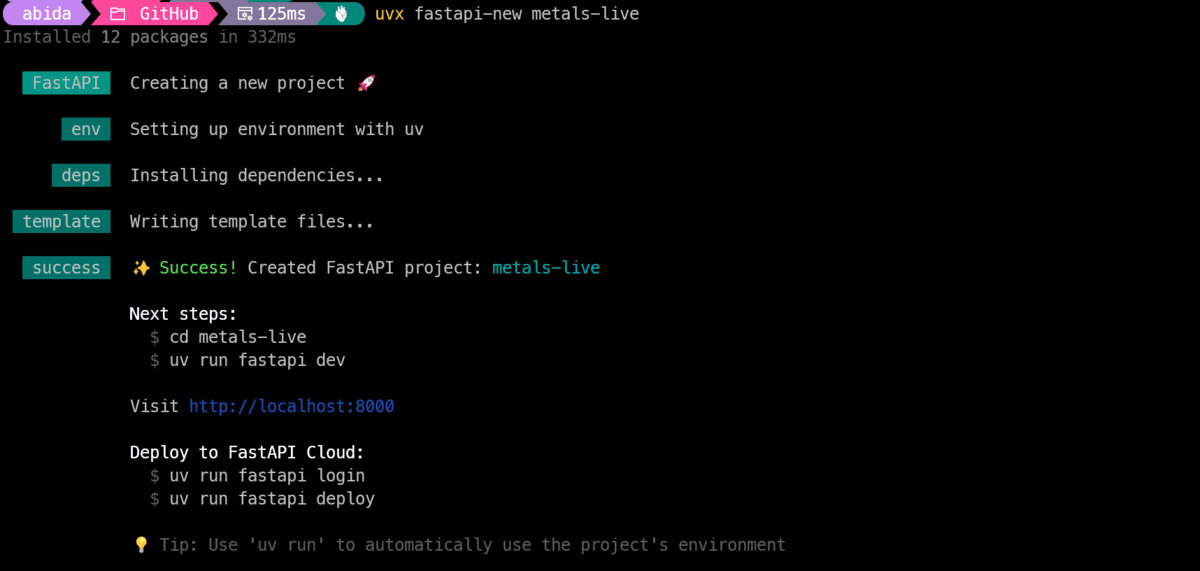
Image by Author
Next, activate the virtual environment inside the project directory.
On Linux/macOS:
source .venv/bin/activateOn Windows PowerShell:
.venv\Scripts\Activate.ps1# Adding httpx
Next, install the packages the app will need. We will use httpx to fetch live gold and silver prices from the API, and we will also make sure the standard FastAPI extras are installed so the app runs and deploys smoothly without missing dependencies.
uv add httpx "fastapi[standard]"This command adds httpx for making outbound API requests and installs the standard FastAPI dependencies commonly needed for development and deployment.
# Replacing the Default App
Now it is time to replace the default FastAPI app with the version you will actually deploy.
This is what the default project structure looks like:
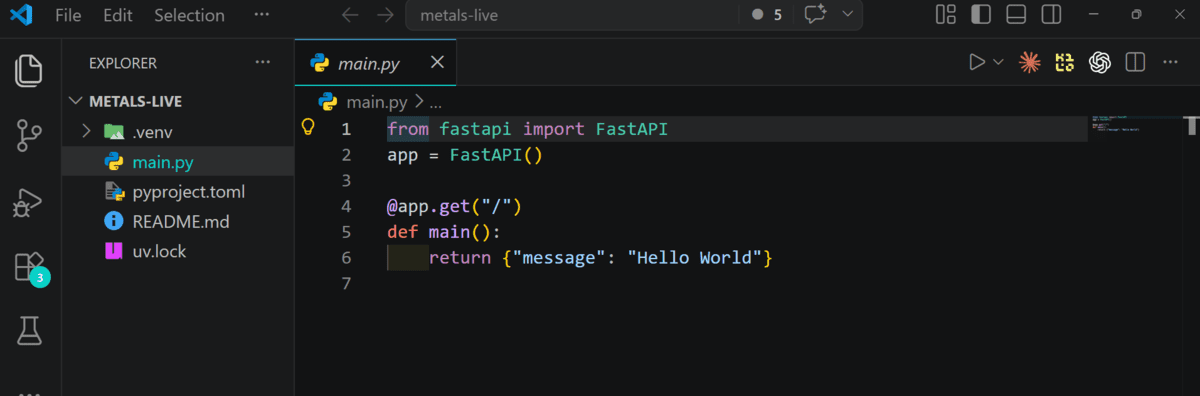
Image by Author
Open main.py and replace its contents with the custom code shown below. This version does two things: it fetches live gold and silver prices from the Gold API, and it serves a simple browser dashboard that refreshes automatically every 15 seconds.
Paste this into main.py:
import httpx
from fastapi import FastAPI, HTTPException
from fastapi.responses import HTMLResponse

app = FastAPI(title="Live Gold & Silver Prices")

GOLD_API_BASE = "https://api.gold-api.com"

async def fetch_price(symbol: str):
    url = f"{GOLD_API_BASE}/price/{symbol}"

    async with httpx.AsyncClient(timeout=10.0) as client:
        response = await client.get(url)

    if response.status_code != 200:
        raise HTTPException(status_code=502, detail=f"Failed to fetch {symbol} price")

    data = response.json()

    return {
        "symbol": data.get("symbol", symbol),
        "name": data.get("name", symbol),
        "price": data.get("price"),
        "currency": data.get("currency", "USD"),
        "updatedAt": data.get("updatedAt") or data.get("timestamp"),
    }

@app.get("/api/prices")
async def get_prices():
    gold = await fetch_price("XAU")
    silver = await fetch_price("XAG")
    return {
        "gold": gold,
        "silver": silver,
    }

@app.get("/", response_class=HTMLResponse)
async def home():
    return """
    <!doctype html>
    <html>
    <head>
      <meta charset="utf-8" />
      <meta name="viewport" content="width=device-width, initial-scale=1" />
      <title>Live Gold & Silver Prices</title>
      <style>
        body {
          font-family: Arial, sans-serif;
          background: #0f1115;
          color: #ffffff;
          margin: 0;
          padding: 40px 20px;
        }
        .container {
          max-width: 900px;
          margin: 0 auto;
        }
        h1 {
          margin-bottom: 8px;
        }
        p {
          color: #b9c0cc;
        }
        .grid {
          display: grid;
          grid-template-columns: repeat(auto-fit, minmax(260px, 1fr));
          gap: 20px;
          margin-top: 30px;
        }
        .card {
          background: #171a21;
          border: 1px solid #2a2f3a;
          border-radius: 16px;
          padding: 24px;
        }
        .label {
          font-size: 14px;
          color: #9aa4b2;
          margin-bottom: 10px;
        }
        .price {
          font-size: 36px;
          font-weight: bold;
          margin-bottom: 8px;
        }
        .meta {
          font-size: 14px;
          color: #c6ced9;
        }
        .footer {
          margin-top: 24px;
          font-size: 13px;
          color: #8c97a8;
        }
      </style>
    </head>
    <body>
      <div class="container">
        <h1>Live Gold & Silver Prices</h1>
        <p>Prices refresh automatically every 15 seconds.</p>

        <div class="grid">
          <div class="card">
            <div class="label">Gold</div>
            <div class="price" id="gold-price">Loading...</div>
            <div class="meta" id="gold-meta"></div>
          </div>

          <div class="card">
            <div class="label">Silver</div>
            <div class="price" id="silver-price">Loading...</div>
            <div class="meta" id="silver-meta"></div>
          </div>
        </div>

        <div class="footer" id="updated"></div>
      </div>

      <script>
        async function loadPrices() {
          try {
            const res = await fetch('/api/prices');
            const data = await res.json();

            const gold = data.gold;
            const silver = data.silver;

            document.getElementById('gold-price').textContent =
              `${gold.price ?? 'N/A'} ${gold.currency ?? ''}`;

            document.getElementById('silver-price').textContent =
              `${silver.price ?? 'N/A'} ${silver.currency ?? ''}`;

            document.getElementById('gold-meta').textContent =
              gold.symbol || 'XAU';

            document.getElementById('silver-meta').textContent =
              silver.symbol || 'XAG';

            const updated = gold.updatedAt || silver.updatedAt;
            document.getElementById('updated').textContent =
              updated
                ? `Last updated: ${new Date(updated).toLocaleString()}`
                : 'Last updated: Unknown';
          } catch (err) {
            document.getElementById('gold-price').textContent = 'Error';
            document.getElementById('silver-price').textContent = 'Error';
            document.getElementById('gold-meta').textContent = '';
            document.getElementById('silver-meta').textContent = '';
            document.getElementById('updated').textContent = 'Could not load live prices.';
          }
        }

        loadPrices();
        setInterval(loadPrices, 15000);
      </script>
    </body>
    </html>
    """
What this code does:
- Creates a FastAPI app.
- Fetches live gold and silver prices from the API.
- Returns the data through
/api/prices. - Serves a simple HTML dashboard at
/. - Refreshes the displayed prices every 15 seconds.
# Testing Locally
Before deploying, it is a good idea to run the app locally and make sure everything works as expected. FastAPI makes this easy with its built-in development server.
Start the app with:
Once the server starts, FastAPI will generate a local URL for your app and a docs URL for testing the endpoints.
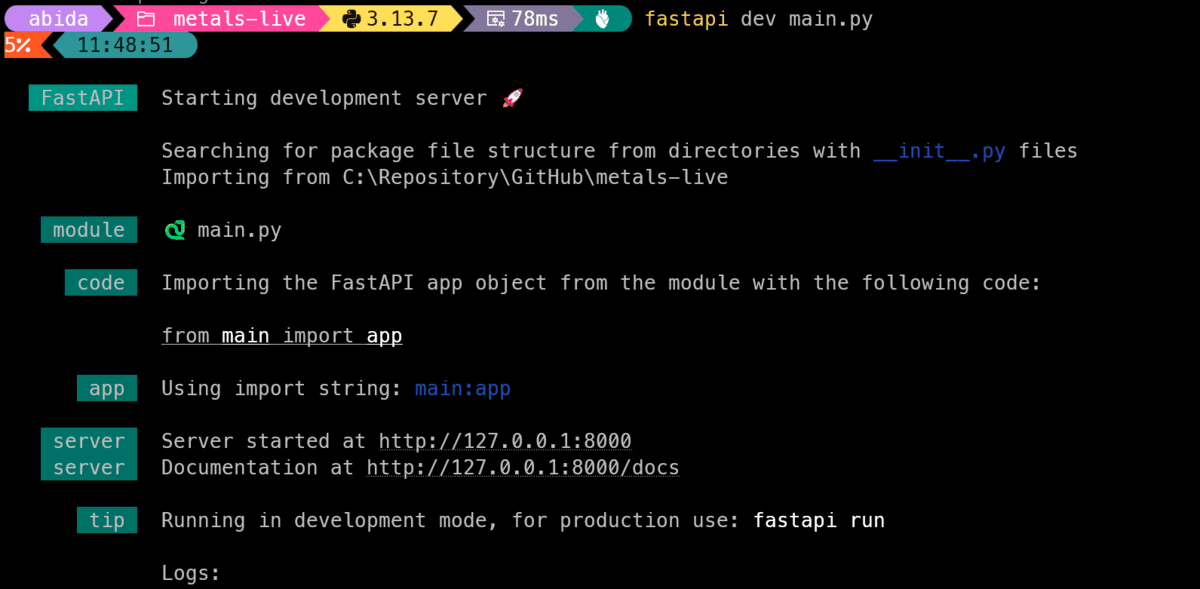
Image by Author
Open your browser and go to:
You should see your live dashboard showing gold and silver prices. The values will refresh automatically every 15 seconds.
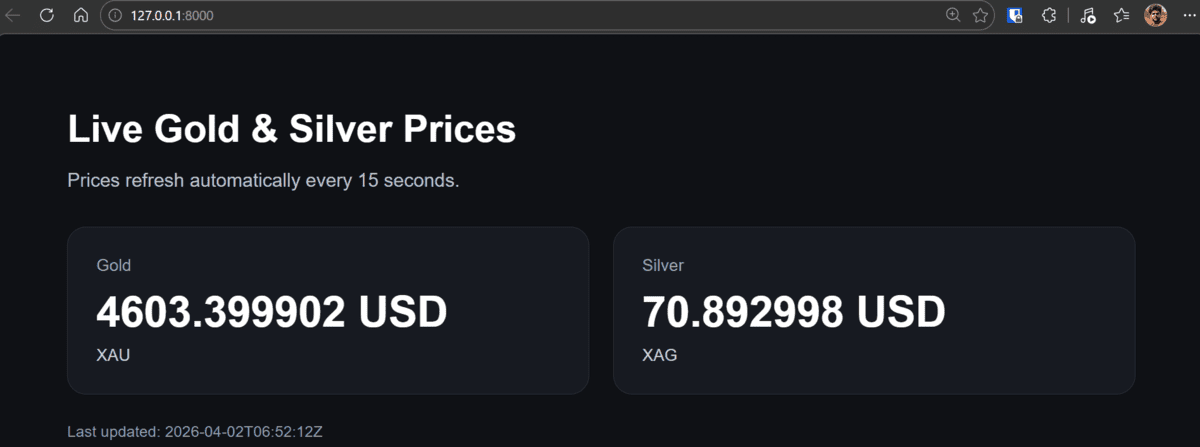
Image by Author
You can also test the JSON endpoint directly at:
http://127.0.0.1:8000/api/pricesThis is especially useful if you want to inspect the raw response or later connect the data to another frontend or application.
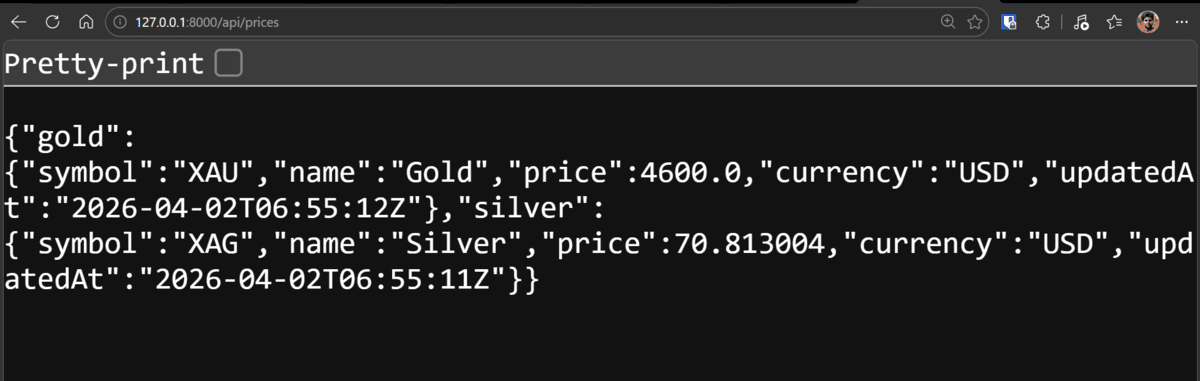
Image by Author
# Deploying to FastAPI Cloud
Once the app works locally, you are ready to deploy it to FastAPI Cloud. The deployment flow is very simple and starts with a single command.
Run:
The CLI will guide you through connecting your FastAPI Cloud account and completing the setup. During onboarding, you may be asked a few short questions, such as your team name, app name, and deployment settings.
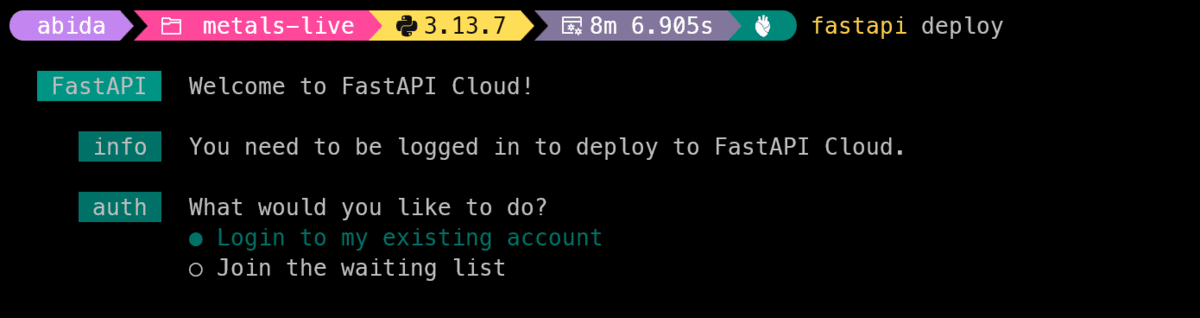
Image by Author
Once that is done, FastAPI Cloud will build and deploy your app for you.
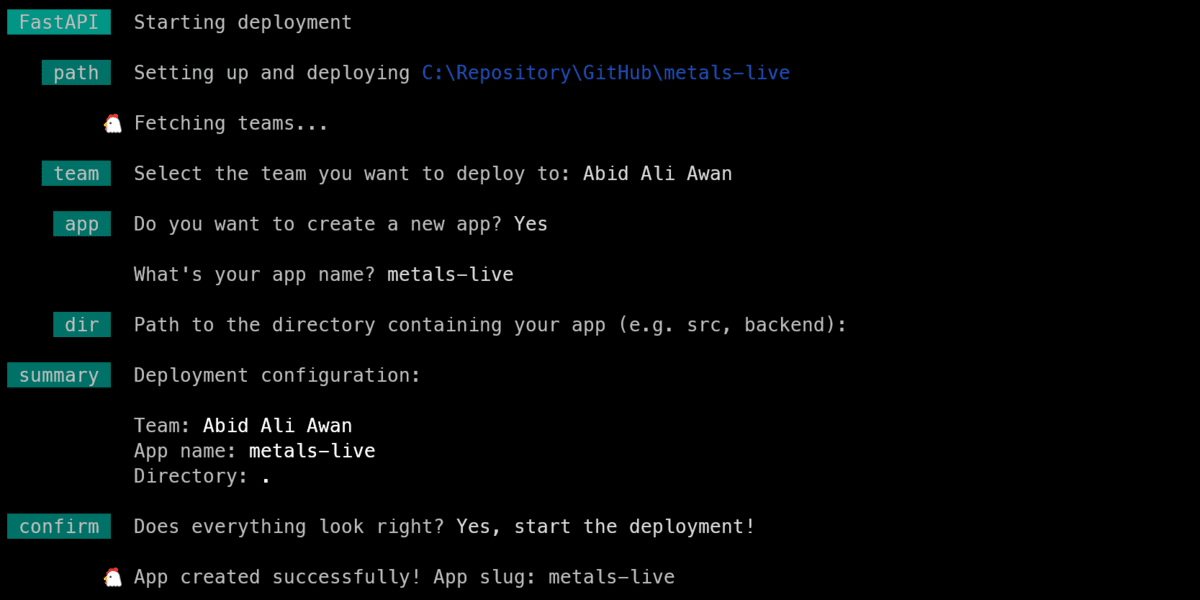
Image by Author
After the deployment finishes, you will get a live public URL for your app — for example:
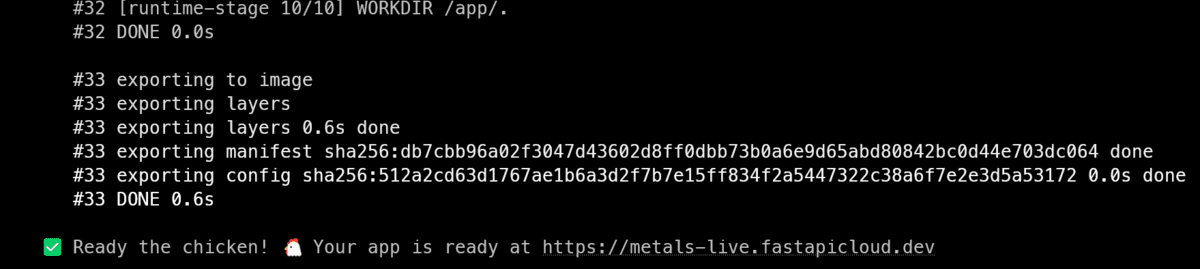
Image by Author
https://metals-live.fastapicloud.dev/FastAPI Cloud also gives you interactive API docs at:
https://metals-live.fastapicloud.dev/docs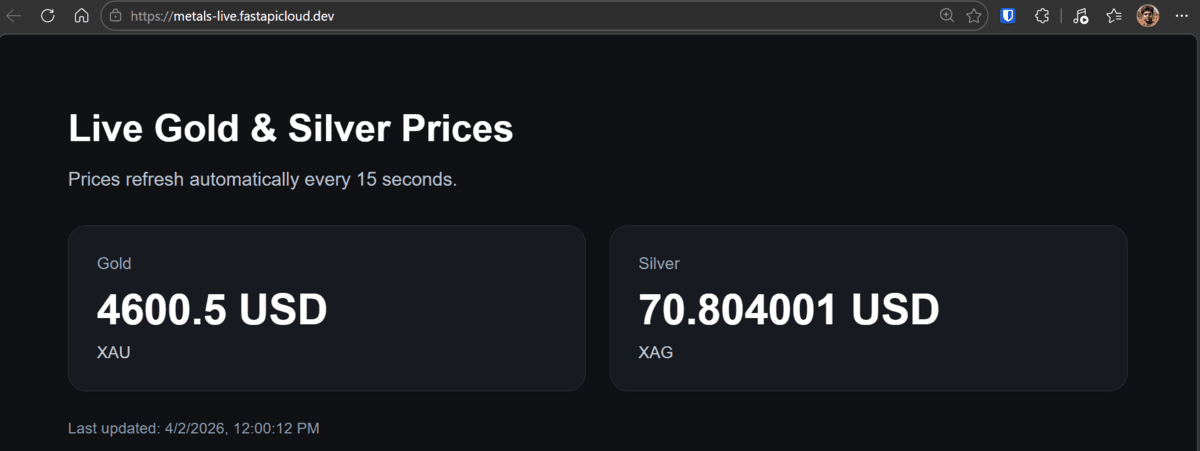
Image by Author
This is useful because you can test your API directly from the browser, without needing any extra tools.
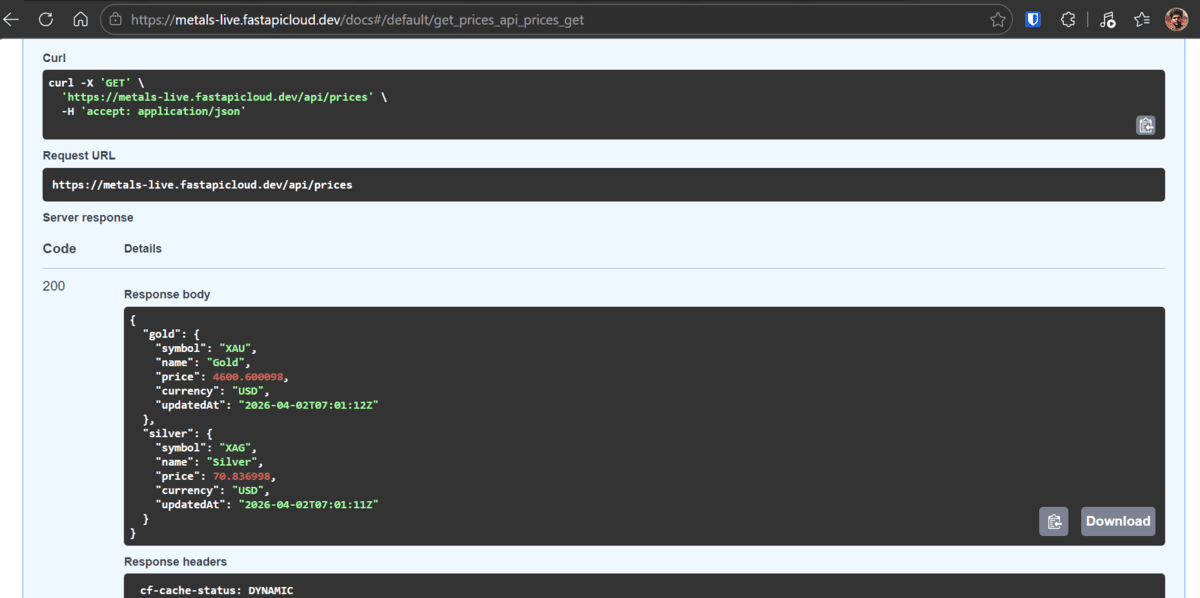
Image by Author
# Monitoring the App
After deployment, you can use the FastAPI Cloud dashboard to monitor your app and check its logs.
To view the logs:
- Open the FastAPI Cloud dashboard.
- Go to Apps.
- Select your app.
- Open Logs.
This is useful for checking whether your app is running correctly, spotting API errors, and debugging issues after deployment.
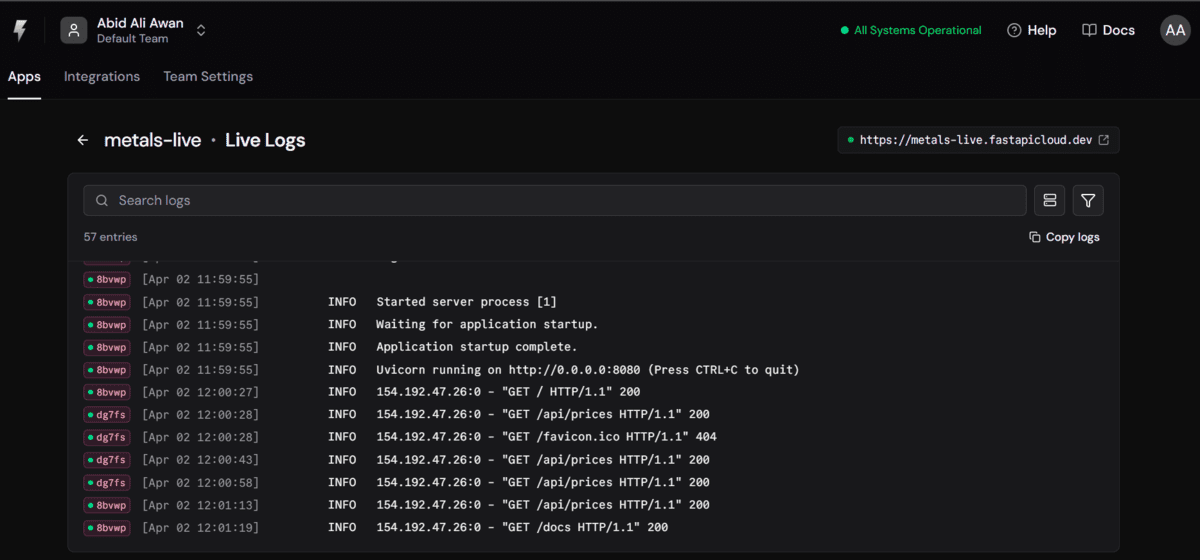
Image by Author
FastAPI Cloud also starts to feel closer to platforms like Supabase or Vercel, with managed hosting, quick CLI-based deployment, and extra integrations you can connect to your app as you grow it.
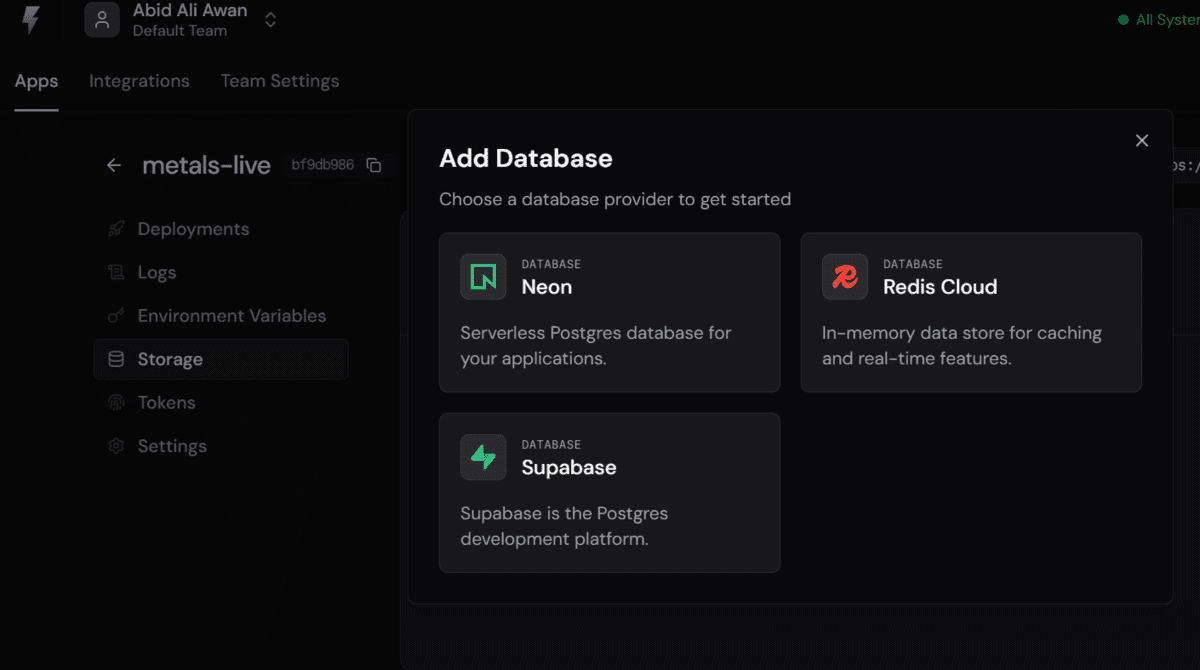
Image by Author
# Wrapping Up
FastAPI Cloud makes it easy to take a small FastAPI app from local development to a live deployment. In this guide, we built a simple live metals dashboard, tested it locally, deployed it with one command, and checked logs after launch.
For a first deployment, the workflow is straightforward and a good introduction to the FastAPI Cloud experience.
Abid Ali Awan (@1abidaliawan) is a certified data scientist professional who loves building machine learning models. Currently, he is focusing on content creation and writing technical blogs on machine learning and data science technologies. Abid holds a Master's degree in technology management and a bachelor's degree in telecommunication engineering. His vision is to build an AI product using a graph neural network for students struggling with mental illness.