Understanding BPE Fundamentals
The Byte Pair Encoding algorithm provides the answer, allowing us to compress byte sequences to a variable amount. Before exploring BPE in detail, it’s worth noting that feeding raw byte sequences directly into language models would be ideal. A paper from summer 2023 explores this possibility.
The challenge is that the transformer architecture requires modification to handle raw bytes. As mentioned earlier, attention becomes extremely expensive with such long sequences. The paper proposes a hierarchical structuring of the transformer that could accept raw bytes as input. The authors conclude: “Together, these results establish the viability of tokenization-free autoregressive sequence modeling at scale.” Tokenization-free modeling would be a significant advancement, allowing byte streams to feed directly into models. However, this approach hasn’t been validated by multiple groups at sufficient scale. Until such methods mature, we must compress byte sequences using the Byte Pair Encoding algorithm.
The Byte Pair Encoding algorithm is relatively straightforward, and the Wikipedia page provides a clear explanation of the basic concept. The algorithm operates on an input sequence—for example, a sequence containing only four vocabulary elements: a, b, c, and d. Rather than working with bytes directly, consider this simplified case with a vocabulary size of four.
When a sequence becomes too long and requires compression, the algorithm iteratively identifies the most frequently occurring pair of tokens. Once identified, that pair is replaced with a single new token appended to the vocabulary. For instance, if the byte pair ‘aa’ occurs most often, we create a new token (call it capital Z) and replace every occurrence of ‘aa’ with Z, resulting in two Z’s in the sequence.
Step 1: Initial sequence
Most frequent pair: aa (occurs 2 times)
Replace aa with Z:
This transformation converts a sequence of 11 characters with vocabulary size four into a sequence of nine tokens with vocabulary size five. The fifth vocabulary element, Z, represents the concatenation of ‘aa’. The process repeats: examining the sequence to identify the most frequent token pair. If ‘ab’ is now most frequent, we create a new token Y to represent ‘ab’, replacing every occurrence.
Step 2: Continue compression
Most frequent pair: ab (occurs 2 times)
Replace ab with Y:
The sequence now contains seven characters with a vocabulary of six elements. In the final round, the pair ‘ZY’ appears most commonly, prompting creation of token X to represent ‘ZY’. Replacing all occurrences produces the final sequence.
Step 3: Final merge
Most frequent pair: ZY (occurs 2 times)
Replace ZY with X:
Final result: XdXac
Final vocabulary: {a, b, c, d, Z=aa, Y=ab, X=ZY}
Original length: 11 tokens → Compressed length: 5 tokens
After completing this process, the sequence has transformed from 11 tokens with vocabulary length four to 5 tokens with vocabulary length seven. The algorithm iteratively compresses the sequence while minting new tokens. The same approach applies to byte sequences: starting with 256 vocabulary size, we identify the most common byte pairs and iteratively mint new tokens, appending them to the vocabulary and performing replacements. This produces a compressed training dataset along with an algorithm for encoding arbitrary sequences using this vocabulary and decoding them back to strings.
To implement this algorithm, the following example uses the first paragraph from this blog post, copied as a single long line of text.
To obtain the tokens, we encode the text into UTF-8. The tokens at this point are raw bytes in a single stream. For easier manipulation in Python, we convert the bytes object to a list of integers for better visualization and handling. The output shows the original paragraph and its length of 533 code points. The UTF-8 encoded bytes have a length of 608 bytes (or 608 tokens). This expansion occurs because simple ASCII characters become a single byte, while more complex Unicode characters become multiple bytes, up to four.
# Step 1: Get the sample text from Nathan Reed's blog post
text = """Unicode! 🅤🅝🅘🅒🅞🅓🅔‽ 🇺🇳🇮🇨🇴🇩🇪! 😄 The very name strikes fear and awe into the hearts of programmers worldwide. We all know we ought to "support Unicode" in our software (whatever that means—like using wchar_t for all the strings, right?). But Unicode can be abstruse, and diving into the thousand-page Unicode Standard plus its dozens of supplementary annexes, reports, and notes can be more than a little intimidating. I don't blame programmers for still finding the whole thing mysterious, even 30 years after Unicode's inception."""
print(f"Text: {text}")
print(f"Length in characters: {len(text)}")# Step 2: Encode the text to UTF-8 bytes and convert to list of integers
tokens = list(text.encode("utf-8"))
print(f"UTF-8 encoded bytes: {tokens[:50]}...") # Show first 50 bytes
print(f"Length in bytes: {len(tokens)}")The first step of the algorithm requires iterating over the bytes to find the most frequently occurring pair, which we’ll then merge. The following implementation uses a function called get_stats to find the most common pair. Multiple approaches exist, but this one uses a dictionary to track counts. The iteration over consecutive elements uses a Pythonic pattern with zip(ids, ids[1:]). The function increments the count for each pair encountered.
def get_stats(ids, counts=None):
    """
    Given a list of integers, return a dictionary of counts of consecutive pairs
    Example: [1, 2, 3, 1, 2] -> {(1, 2): 2, (2, 3): 1, (3, 1): 1}
    Optionally allows to update an existing dictionary of counts
    """
    counts = {} if counts is None else counts
    for pair in zip(ids, ids[1:]): # iterate consecutive elements
        counts[pair] = counts.get(pair, 0) + 1
    return counts
The zip(ids, ids[1:]) pattern for consecutive pairs works as follows:
# Step 3a: Understand how zip(ids, ids[1:]) works for consecutive pairs
sample_list = [1, 2, 3, 4, 5]
consecutive_pairs = list(zip(sample_list, sample_list[1:]))
print(f"Sample list: {sample_list}")
print(f"Consecutive pairs: {consecutive_pairs}")
print("This is the 'Pythonic way' Andrej mentions for iterating consecutive elements")
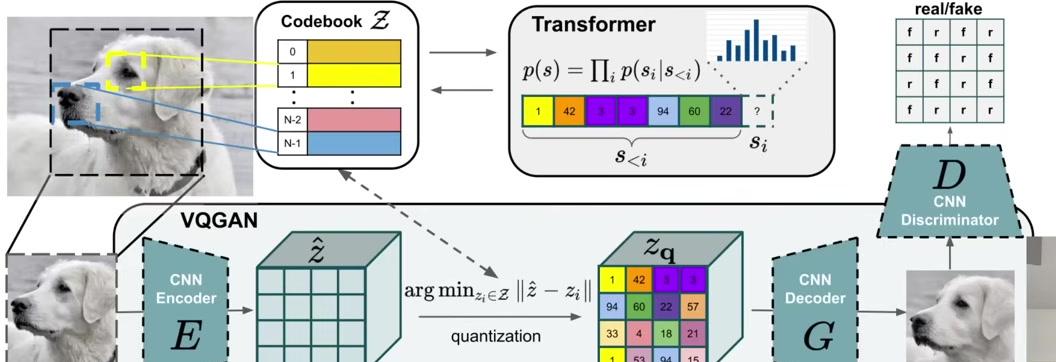
Calling get_stats on the tokens produces a dictionary where the keys are tuples of consecutive elements, and the values are their counts:
# Step 3: Find the most common consecutive pair using get_stats
stats = get_stats(tokens)
print(f"Total number of unique pairs: {len(stats)}")

# Show top 10 most frequent pairs
top_pairs = sorted([(count, pair) for pair, count in stats.items()], reverse=True)[:10]
print("\nTop 10 most frequent pairs:")
for count, pair in top_pairs:
    print(f"  {pair}: {count} times")
To display the results more clearly, we can iterate over the dictionary items (which return key-value pairs) and create a value-key list instead. This allows us to call sort() on it, since Python defaults to sorting by the first element in tuples. Using reverse=True produces descending order.
The results show that the pair (101, 32) occurs most frequently, appearing 20 times. Searching for all occurrences of 101, 32 in the token list confirms these 20 instances.
# Step 4: Get the most frequent pair using max() function
most_frequent_pair = max(stats, key=stats.get)
print(f"Most frequent pair: {most_frequent_pair}")
print(f"Occurs {stats[most_frequent_pair]} times")

# Convert bytes back to characters to see what this pair represents
char1 = chr(most_frequent_pair[0])
char2 = chr(most_frequent_pair[1])
print(f"This represents: '{char1}' + '{char2}'")
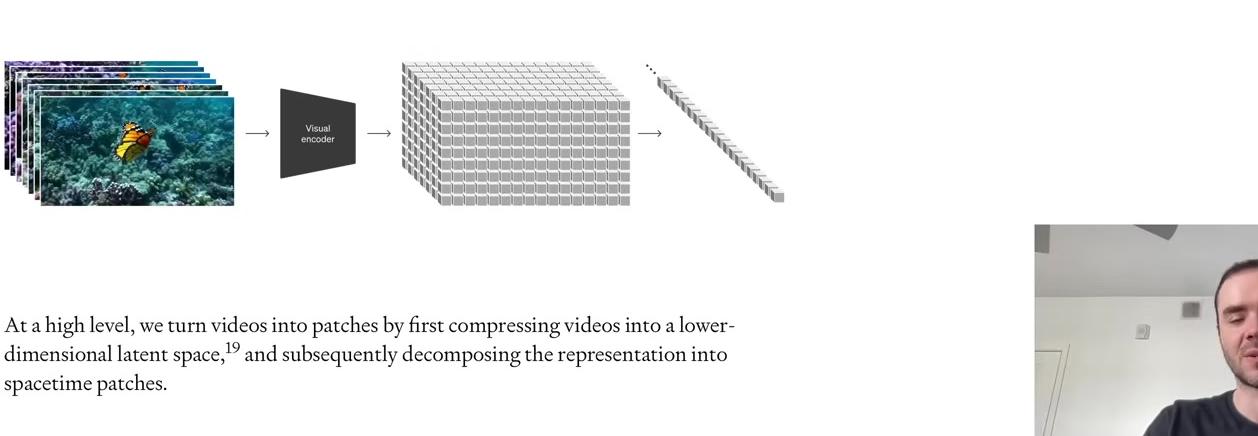
To examine what this pair represents, we use chr, which is the inverse of ord in Python. Given the Unicode code points 101 and 32, we find this represents ‘e’ followed by a space. Many words in the text end with ‘e’, accounting for the frequency of this pair.
We can verify the most frequent pair by finding its occurrences in the text:
# Step 4a: Verify the most frequent pair by finding its occurrences in the text
pair_to_find = most_frequent_pair  # (101, 32) which is 'e' + ' '

# Find all positions where this pair occurs
occurrences = []
for i in range(len(tokens) - 1):
    if tokens[i] == pair_to_find[0] and tokens[i + 1] == pair_to_find[1]:
        occurrences.append(i)

print(f"Found {len(occurrences)} occurrences of pair {pair_to_find} ('e' + ' ') at positions:")
print(f"Positions: {occurrences}")
Having identified the most common pair, the next step is to iterate over the sequence and mint a new token with ID 256. Current tokens range from 0 to 255, making 256 the next available ID. The algorithm will iterate over the entire list, replacing every occurrence of (101, 32) with 256.
# Step 5: Prepare to merge - create new token ID
# Current tokens are 0-255 (256 possible values), so new token will be 256
new_token_id = 256
print(f"Will replace pair {most_frequent_pair} with new token ID: {new_token_id}")
print(f"Ready to implement merge function...")
Python provides an elegant way to obtain the highest-ranking pair using max() on the stats dictionary. This returns the maximum key. The ranking function is specified with key=stats.get, which returns the value for each key. This ranks by value and returns the key with the maximum value: (101, 32).
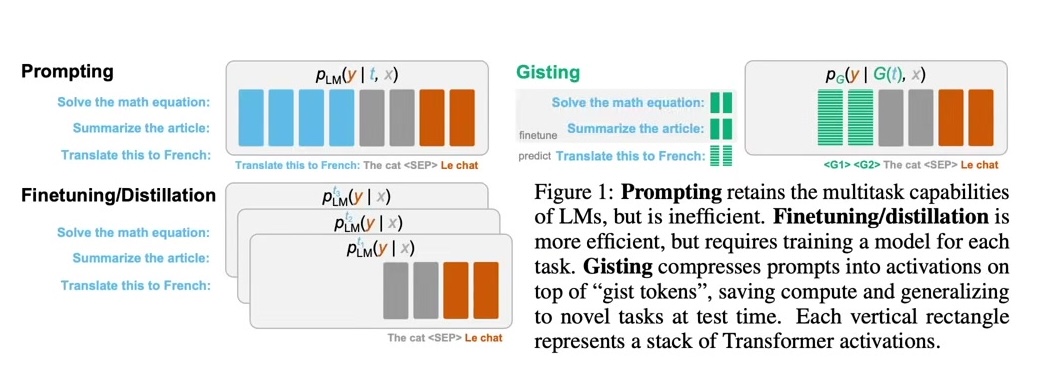
Having identified the most common pair, the next step is to iterate over the sequence and mint a new token with ID 256. Current tokens range from 0 to 255, making 256 the next available ID. The algorithm iterates over the entire list, replacing every occurrence of (101, 32) with 256.
# Step 6: Implement the merge function
def merge(ids, pair, idx):
    """
    In the list of integers (ids), replace all consecutive occurrences
    of pair with the new integer token idx
    Example: ids=[1, 2, 3, 1, 2], pair=(1, 2), idx=4 -> [4, 3, 4]
    """
    newids = []
    i = 0
    while i < len(ids):
        # if not at the very last position AND the pair matches, replace it
        if ids[i] == pair[0] and i < len(ids) - 1 and ids[i+1] == pair[1]:
            newids.append(idx)
            i += 2  # skip over the pair
        else:
            newids.append(ids[i])
            i += 1
    return newids
Testing with a simple example first demonstrates the merge function’s behavior:
# Test with simple example
test_ids = [5, 6, 6, 7, 9, 1]
result = merge(test_ids, (6, 7), 99)
print(f"Original: {test_ids}")
print(f"After merging (6, 7) -> 99: {result}")
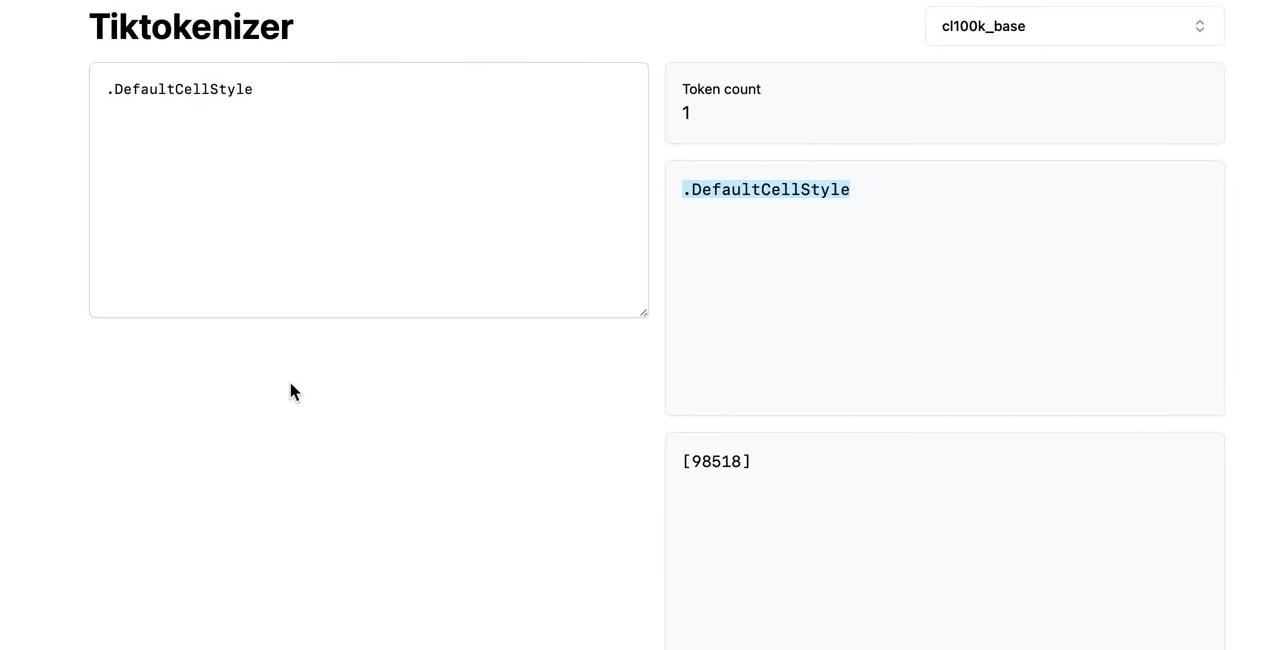
Applying the merge to the actual tokens:
# Step 7: Apply merge to our actual tokens
# Merge the most frequent pair (101, 32) with token ID 256
tokens2 = merge(tokens, most_frequent_pair, new_token_id)

print(f"Original length: {len(tokens)}")
print(f"After merge length: {len(tokens2)}")
print(f"Reduction: {len(tokens) - len(tokens2)} tokens")

# Verify the merge worked
print(f"\nOccurrences of new token {new_token_id}: {tokens2.count(new_token_id)}")
print(f"Occurrences of old pair in original: {sum(1 for i in range(len(tokens)-1) if (tokens[i], tokens[i+1]) == most_frequent_pair)}")

# Verify old pair is gone
old_pair_count = sum(1 for i in range(len(tokens2)-1) if (tokens2[i], tokens2[i+1]) == most_frequent_pair)
print(f"Occurrences of old pair in new tokens: {old_pair_count}")
The BPE algorithm proceeds iteratively: find the most common pair, merge it, and repeat.
# Step 8: Iterate the BPE algorithm
# Now we repeat: find most common pair, merge it, repeat...
# Let's do a few more iterations

current_tokens = tokens2
vocab_size = 257  # Started with 256, now have 257

print("BPE Training Progress:")
print(f"Step 0: {len(tokens)} tokens, vocab size: 256")
print(f"Step 1: {len(current_tokens)} tokens, vocab size: {vocab_size}")

# Do a few more iterations
for step in range(2, 6):  # Steps 2-5
    # Find most common pair
    stats = get_stats(current_tokens)
    if not stats:  # No more pairs to merge
        break

    most_frequent_pair = max(stats, key=stats.get)

    # Merge it
    current_tokens = merge(current_tokens, most_frequent_pair, vocab_size)

    print(f"Step {step}: {len(current_tokens)} tokens, vocab size: {vocab_size + 1}")
    print(f"  Merged pair: {most_frequent_pair} -> {vocab_size}")

    vocab_size += 1

print(f"\nFinal: {len(current_tokens)} tokens, vocab size: {vocab_size}")
Tracking the merges reveals what the tokenizer learned:
# Track the merges we made
merges = {
    256: (101, 32),  # 'e' + ' '
    257: (100, 32),  # 'd' + ' '
    258: (116, 101), # 't' + 'e'
    259: (115, 32),  # 's' + ' '
    260: (105, 110)  # 'i' + 'n'
}

for token_id, (byte1, byte2) in merges.items():
    char1, char2 = chr(byte1), chr(byte2)
    print(f"Token {token_id}: ({byte1}, {byte2}) -> '{char1}' + '{char2}' = '{char1}{char2}'")
This completes the fundamentals of BPE. The algorithm iteratively finds the most frequent byte pairs and merges them into new tokens, gradually building up a vocabulary that efficiently represents the text.
Building the Core Functions
Having understood the BPE algorithm conceptually, we can now build the complete tokenizer with training, encoding, and decoding functions. To get more representative statistics for byte pairs and produce sensible results, we’ll use the entire blog post as our training text rather than just the first paragraph. The raw text is encoded into bytes using UTF-8 encoding, then converted into a list of integers in Python for easier manipulation.
# text = full blog post text copied from the colab notebook
tokens = list(text.encode("utf-8"))
print(f"UTF-8 encoded bytes: {tokens[:50]}...")  # Show first 50 bytes
print(f"Length in bytes: {len(tokens)}")
The merging loop uses the same two functions defined earlier (get_stats and merge), repeated here for reference. The new code begins by setting the final vocabulary size—a hyperparameter that you adjust depending on best performance. Using 276 as the target vocabulary size means performing exactly 20 merges, since we start with 256 tokens for the raw bytes.
# BPE training
vocab_size = 276  # hyperparameter: the desired final vocabulary size
num_merges = vocab_size - 256
tokens = list(text.encode("utf-8"))

for i in range(num_merges):
    # count up all the pairs
    stats = get_stats(tokens)
    # find the pair with the highest count
    pair = max(stats, key=stats.get)
    # mint a new token: assign it the next available id
    idx = 256 + i
    # replace all occurrences of pair in tokens with idx
    tokens = merge(tokens, pair, idx)
    # print progress
    print(f"merge {i+1}/{num_merges}: {pair} -> {idx} ({stats[pair]} occurrences)")
Wrapping the tokens list in list() creates a copy of the list in Python. The merges dictionary maintains the mapping from child pairs to new tokens, building up a binary forest of merges. This structure differs from a tree because we start with the leaves at the bottom (the individual bytes as the starting 256 tokens) and merge two at a time, creating multiple roots rather than a single root.
For each of the 20 merges, the algorithm finds the most commonly occurring pair, mints a new token integer (starting with 256 when i is zero), and replaces all occurrences of that pair with the newly minted token. The merge is recorded in the dictionary. Running this produces the output showing all 20 merges.
The first merge matches our earlier example: tokens (101, 32) merge into new token 256. Note that individual tokens 101 and 32 can still occur in the sequence after merging—only consecutive occurrences become 256. Newly minted tokens are also eligible for merging in subsequent iterations. The 20th merge combines tokens 256 and 259 into 275, demonstrating how replacement makes tokens eligible for merging in the next round. This builds up a small binary forest rather than a single tree.
The compression ratio achieved can be calculated from the token counts. The original text contained 24,000 bytes, which after 20 merges reduced to 19,000 tokens. The compression ratio of approximately 1.27 comes from dividing these two values. More vocabulary elements would increase the compression ratio further.
This process represents the training of the tokenizer. The tokenizer is a completely separate object from the large language model itself—this entire discussion concerns only tokenizer training, not the LLM. The tokenizer undergoes its own preprocessing stage, typically separate from the LLM.
graph TB
    subgraph "Stage 1: Tokenizer Training"
        A[Raw Text Documents<br/>Tokenizer Training Set] --> B[BPE Algorithm]
        B --> C[Vocabulary + Merges<br/>e.g., 50,000 tokens]
        C --> D[Trained Tokenizer]
    end

    subgraph "Stage 2: LLM Training"
        E[Raw Text Documents<br/>LLM Training Set] --> D
        D --> F[Token Sequences<br/>e.g., 1,2,45,678,...]
        F --> G[Transformer Model]
        G --> H[Trained LLM]
    end

    style A fill:#e1f5ff
    style C fill:#90EE90
    style E fill:#ffe1f5
    style H fill:#FFD700

    note1[Different datasets!<br/>Tokenizer may train on<br/>more diverse languages]
    note2[Completely separate<br/>training stages]

    A -.-> note1
    B -.-> note2
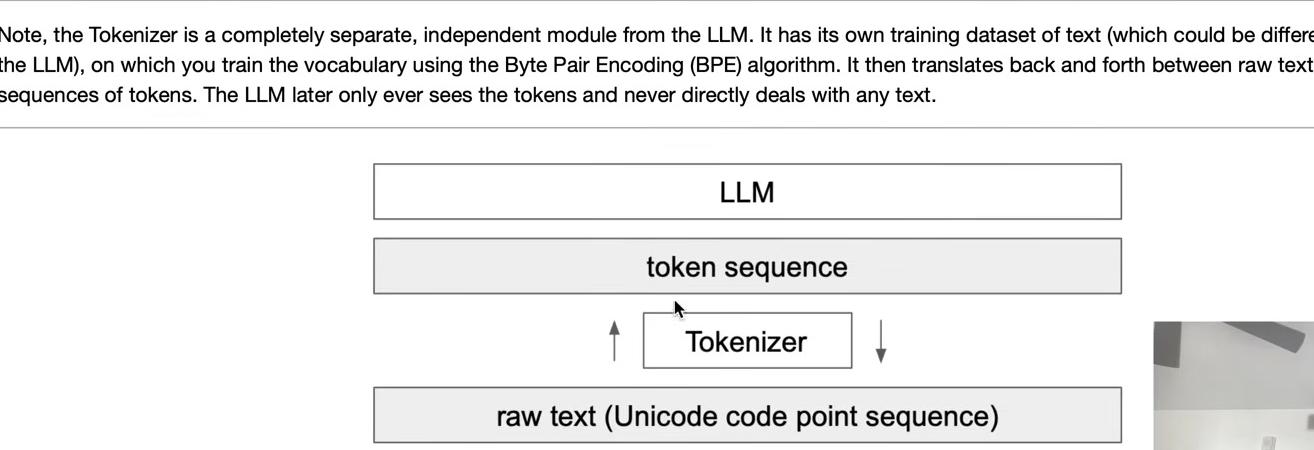
The tokenizer has its own training set of documents, potentially different from the LLM’s training set. Training the tokenizer uses the Byte Pair Encoding algorithm to create the vocabulary. Once trained with its vocabulary and merges, the tokenizer can perform both encoding and decoding—translating between raw text (sequences of Unicode code points) and token sequences in both directions.
With a trained tokenizer that has the merges, we can now implement the encoding and decoding steps. Given text, the tokenizer produces tokens; given tokens, it produces text. This translation layer sits between the two realms.
The language model is trained as a separate second step. In state-of-the-art applications, all training data for the language model typically runs through the tokenizer first, translating everything into a massive token sequence. The raw text can then be discarded, leaving only the tokens stored on disk for the large language model to read during training. This represents one approach using a single massive preprocessing stage.
The key point is that tokenizer training is a completely separate stage with its own training set. The training sets for the tokenizer and the large language model may differ intentionally. For example, tokenizer training should account for performance across many different languages, not just English, as well as code versus natural language. Different mixtures of languages and varying amounts of code in the tokenizer training set determine how many merges occur for each type of content, which affects the density of representation in the token space.
Intuitively, including substantial Japanese data in the tokenizer training set results in more Japanese token merges, producing shorter token sequences for Japanese text. This benefits the large language model, which operates with finite context length in token space.
With the tokenizer trained and the merges determined, we can now turn to implementing encoding and decoding.
Decoding: From Tokens Back to Text
The decoding function translates a token sequence back into a Python string object (raw text). The goal is to implement a function that takes a list of integers and returns a Python string. This is a good exercise to try yourself before looking at the solution.
Here’s one implementation approach. First, create a preprocessing variable called vocab—a dictionary mapping token IDs to their corresponding bytes objects. Start with the raw bytes for tokens 0 to 255, then populate the vocab dictionary by iterating through all merges in order. Each merged token’s bytes representation is the concatenation of its two child tokens’ bytes.
# Track the merges we made
merges = {
    (101, 32) : 256,  # 'e' + ' '
    (100, 32) : 257,  # 'd' + ' '
    (116, 101) : 258, # 't' + 'e'
    (115, 32) : 259,  # 's' + ' '
    (105, 110): 260  # 'i' + 'n'
}
# given ids (list of integers), return Python string
vocab = {idx: bytes([idx]) for idx in range(256)}
for (p0, p1), idx in merges.items():
    vocab[idx] = vocab[p0] + vocab[p1]

def decode(ids):
    # given ids, get tokens
    tokens = b"".join(vocab[idx] for idx in ids)
    # convert from bytes to string
    text = tokens.decode("utf-8")
    return text
One important detail: iterating through the dictionary with .items() requires that the iteration order match the insertion order of items into the merges dictionary. Starting with Python 3.7, this is guaranteed, but earlier versions may have iterated in a different order, potentially causing issues.
The decode function first converts IDs to tokens by looking up each ID in the vocab dictionary and concatenating all bytes together. These tokens are raw bytes that must be decoded using UTF-8 to convert back into Python strings. This reverses the earlier .encode() operation: instead of calling encode on a string object to get bytes, we call decode on the bytes object to get a string.
Testing the function:
However, this implementation has a potential issue that could throw an error with certain unlucky ID sequences. Decoding token 97 works fine, returning the letter ‘a’. But attempting to decode token 128 as a single element produces an error:
The error message reads: “UnicodeDecodeError: ‘utf-8’ codec can’t decode byte 0x80 in position 0: invalid start byte.”
This error relates to the UTF-8 encoding schema. UTF-8 bytes follow a specific format, particularly for multi-byte characters. The binary representation of 128 is one followed by all zeros (10000000). This doesn’t conform to UTF-8 rules—a byte starting with ‘1’ must be followed by another ‘1’, then a ‘0’, then the Unicode content. The single ‘1’ followed by zeros is an invalid start byte.
Not every byte sequence represents valid UTF-8. If a large language model predicts tokens in an invalid sequence, decoding will fail. The solution is to use the errors parameter in the bytes.decode function. By default, errors is set to ‘strict’, which throws an error for invalid UTF-8 byte encodings. Python provides many error handling options. Changing to errors="replace" substitutes a replacement character (�) for invalid sequences:
def decode(ids):
    # given ids (list of integers), return Python string
    tokens = b"".join(vocab[idx] for idx in ids)
    text = tokens.decode("utf-8", errors="replace")
return texttry:print(decode([128])) # This should now print the replacement character without error
except Exception as e: print(str(e))The standard practice is to use errors="replace", which is also found in the OpenAI code release. Whenever you see the replacement character (�) in output, it indicates the LLM produced an invalid token sequence.
Encoding: From Text to Tokens
The encoding function performs the reverse operation: converting a string into tokens. The function signature takes text input and returns a list of integers representing the tokens. This is another good exercise to attempt yourself before reviewing the solution.
Here’s one implementation approach. First, encode the text into UTF-8 to get the raw bytes, then convert the bytes object to a list of integers. These starting tokens represent the raw bytes of the sequence.
def encode(text):
    # given a string, return list of integers (the tokens)
    tokens = list(text.encode("utf-8"))
    while True:
        stats = get_stats(tokens)
        pair = min(stats, key=lambda p: merges.get(p, float("inf")))
        if pair not in merges:
            break # nothing else can be merged
        idx = merges[pair]
        tokens = merge(tokens, pair, idx)
    return tokens
According to the merges dictionary, some bytes may be merged. Recall that merges was built from top to bottom in the order items were inserted. We must apply merges in this order—from top to bottom—because later merges depend on earlier ones. For example, a later merge might rely on token 256, which was created by an earlier merge.
Since multiple merges are expected, the function uses a while loop. The goal is to find consecutive byte pairs that are allowed to merge according to the merges dictionary. To reuse existing functionality, the get_stats function counts how many times each pair occurs in the token sequence and returns this as a dictionary mapping byte pairs to their occurrence counts. For this implementation, only the keys of this dictionary matter—we only need the set of possible merge candidates, not their frequencies.
Testing the encoding:
and both together:
The next step is identifying which pair to merge in each loop iteration. We want the pair with the lowest index in the merges dictionary, ensuring early merges occur before later ones. The implementation uses Python’s min function over an iterator. When calling min on a dictionary, Python iterates over the keys—in this case, all the consecutive pairs. The key parameter specifies the function that returns the value for comparison. Here, we use merges.get(p, float("inf")) to retrieve each pair’s index in the merges dictionary.
Handling Edge Cases
The current implementation needs refinement to handle a special case. Attempting to encode a single character produces an error because when the token list contains only one element or is empty, the stats dictionary is empty, causing min to fail. The solution is to check if the token list has at least two elements before proceeding with merges. If fewer than two tokens exist, there’s nothing to merge, so the function returns immediately.
def encode(text):
    # given a string, return list of integers (the tokens)
    tokens = list(text.encode("utf-8"))
    while True:
        stats = get_stats(tokens)
        if len(tokens) < 2:
            break  # nothing to merge
        pair = min(stats, key=lambda p: merges.get(p, float("inf")))
        if pair not in merges:
            break # nothing else can be merged
        idx = merges[pair]
        tokens = merge(tokens, pair, idx)
    return tokens
Testing the encode-decode cycle reveals an important property. Encoding a string and then decoding it back should return the same string:
# Test that encode/decode is identity for training text
text2 = decode(encode(text))
test_eq(text, text2)
# Test on new validation text
valtext = "Many common characters, including numerals, punctuation, and other symbols, are unified within the standard"
test_eq(decode(encode(valtext)), valtext)This holds true in general, but the reverse is not guaranteed. Not all token sequences represent valid UTF-8 byte streams, making some sequences undecodable. The identity property only works in one direction. Testing with the training text confirms that encoding and decoding returns the original text. Testing with validation data—text grabbed from this web page that the tokenizer has not seen—also works correctly, giving confidence in the implementation.
These are the fundamentals of the byte-pair encoding algorithm. The process takes a training set and trains a tokenizer, where the parameters are simply the merges dictionary. This creates a binary forest on top of raw bytes. With this merges table, we can encode and decode between raw text and token sequences.
This represents the simplest tokenizer setting. The next step is examining state-of-the-art large language models and their tokenizers. The picture becomes significantly more complex. The following sections explore these complexities one at a time.